Find an event
Open Media → Events in the top menu. Events are grouped into upcoming, ongoing and past. Use the search box to find a particular event.
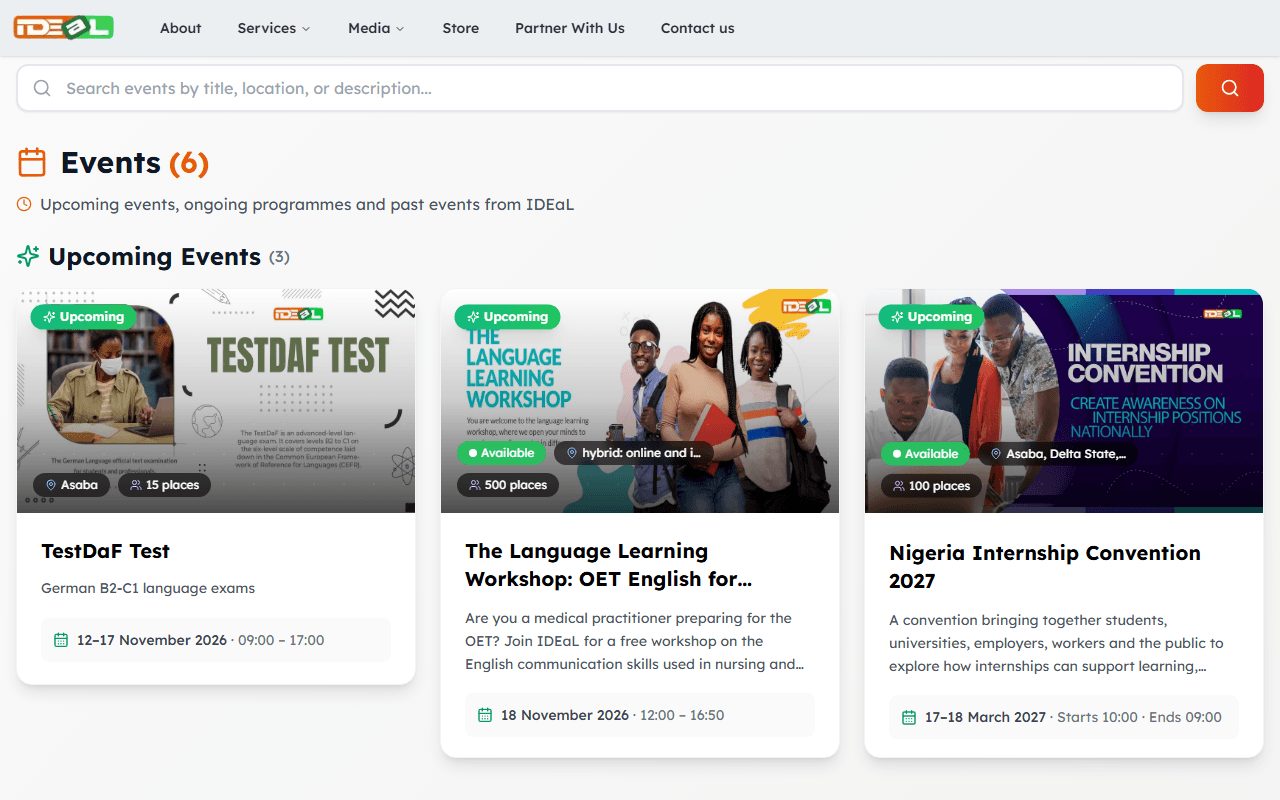
Read the details
Open an event to see its dates, times (Nigeria time), venue, number of places and whether it is free or paid.
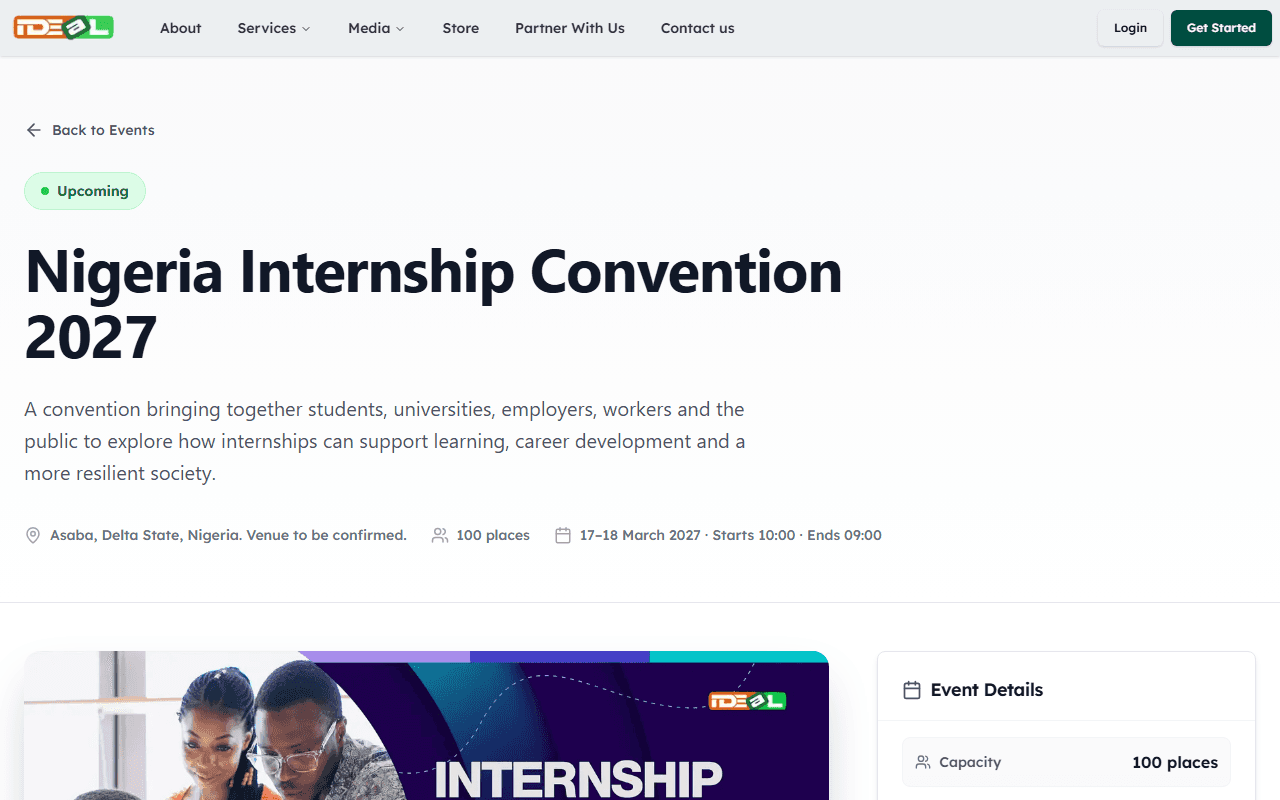
Register or enquire
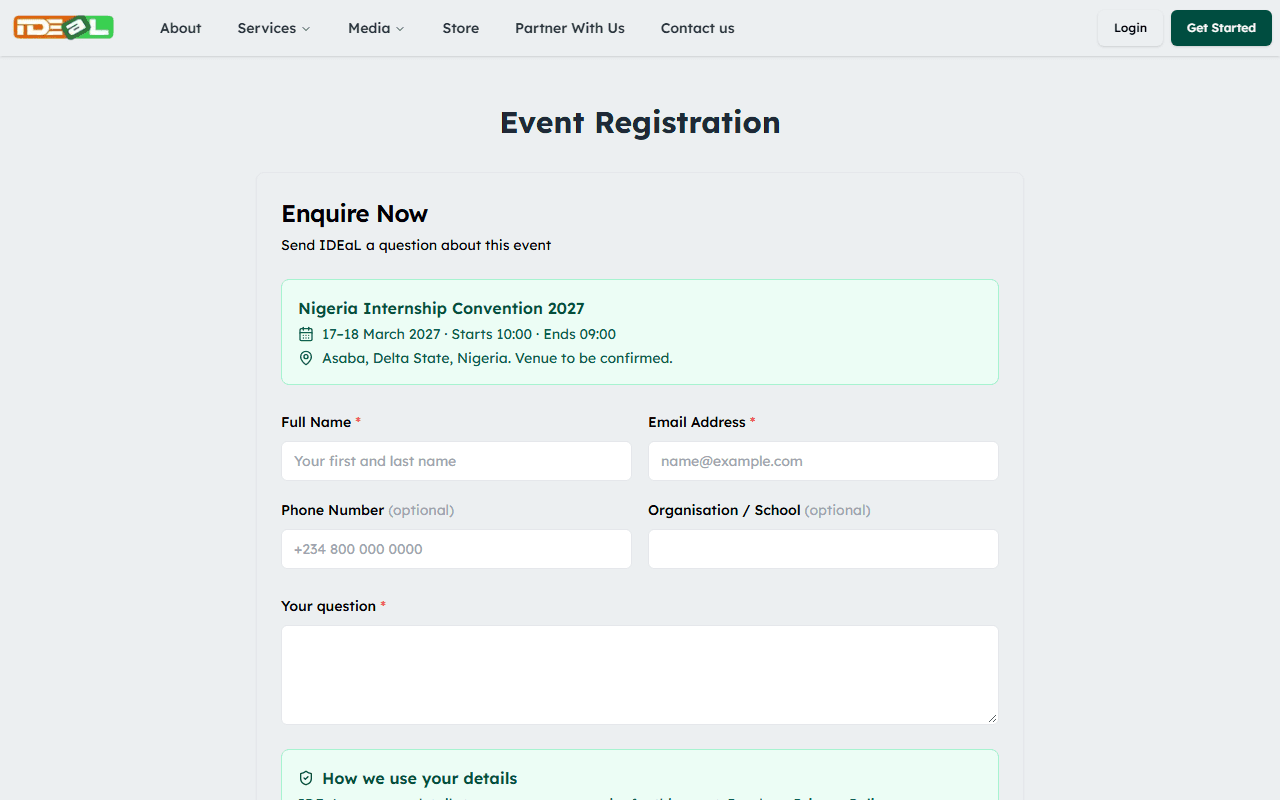
Click the event’s button to open the form. Depending on the event, you either register for a place or enquire (send us a question). Fill in your name and email address and any other details asked for, then submit.
For paid events, you will be asked for proof of payment.
What happens next
You will see a confirmation on screen, and the IDEaL team will contact you using the details you gave. Your place is confirmed once we confirm it to you (for paid events, after we verify your payment). If you can no longer attend, please let us know so that someone else can have your place.
Was this guide helpful?