Find the programme
Open Services in the top menu and choose Training, Exam Testing, Career Development, Community Development or Consultancy. Open the programme you are interested in and read its details, schedule and price.
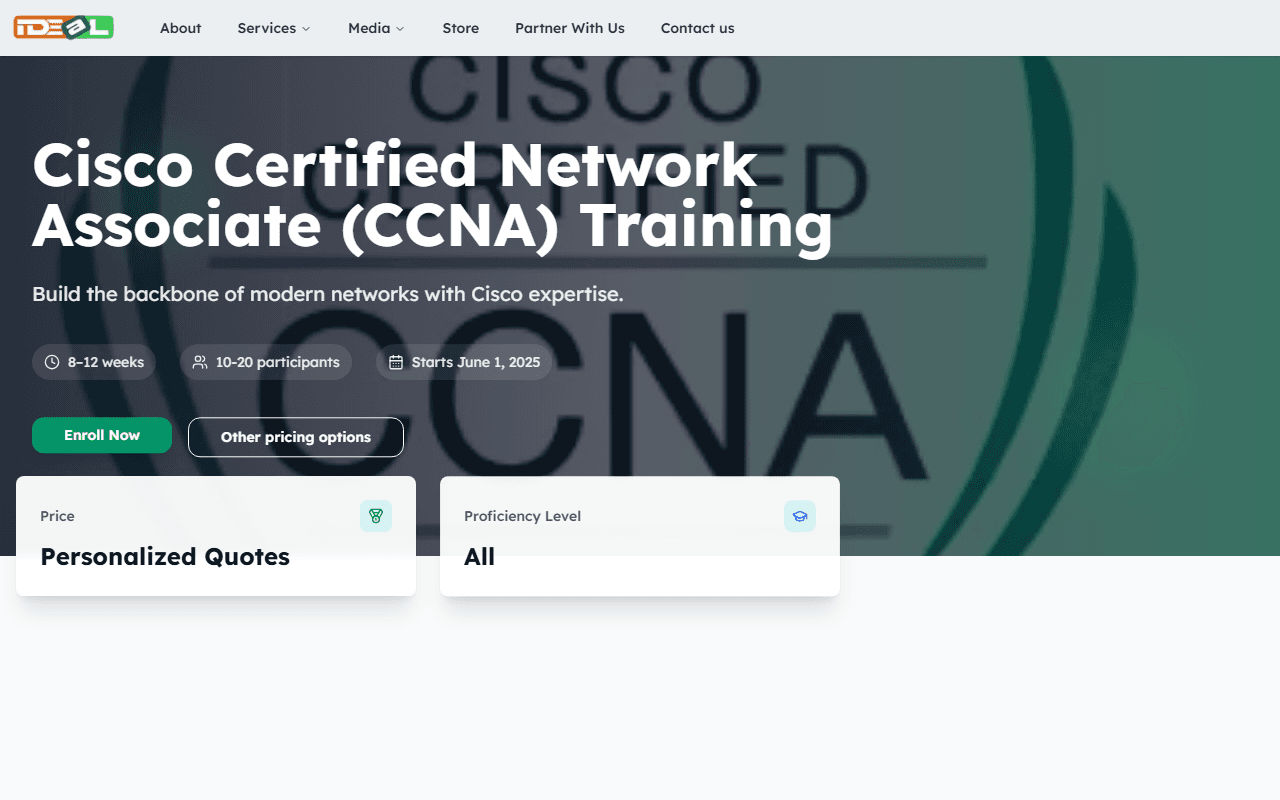
Click Enroll Now
On the programme page, click Enroll Now. Some programmes show Personalized Quotes instead of a price: you can still apply, and we will send you the cost before you pay.
Complete each step of the form
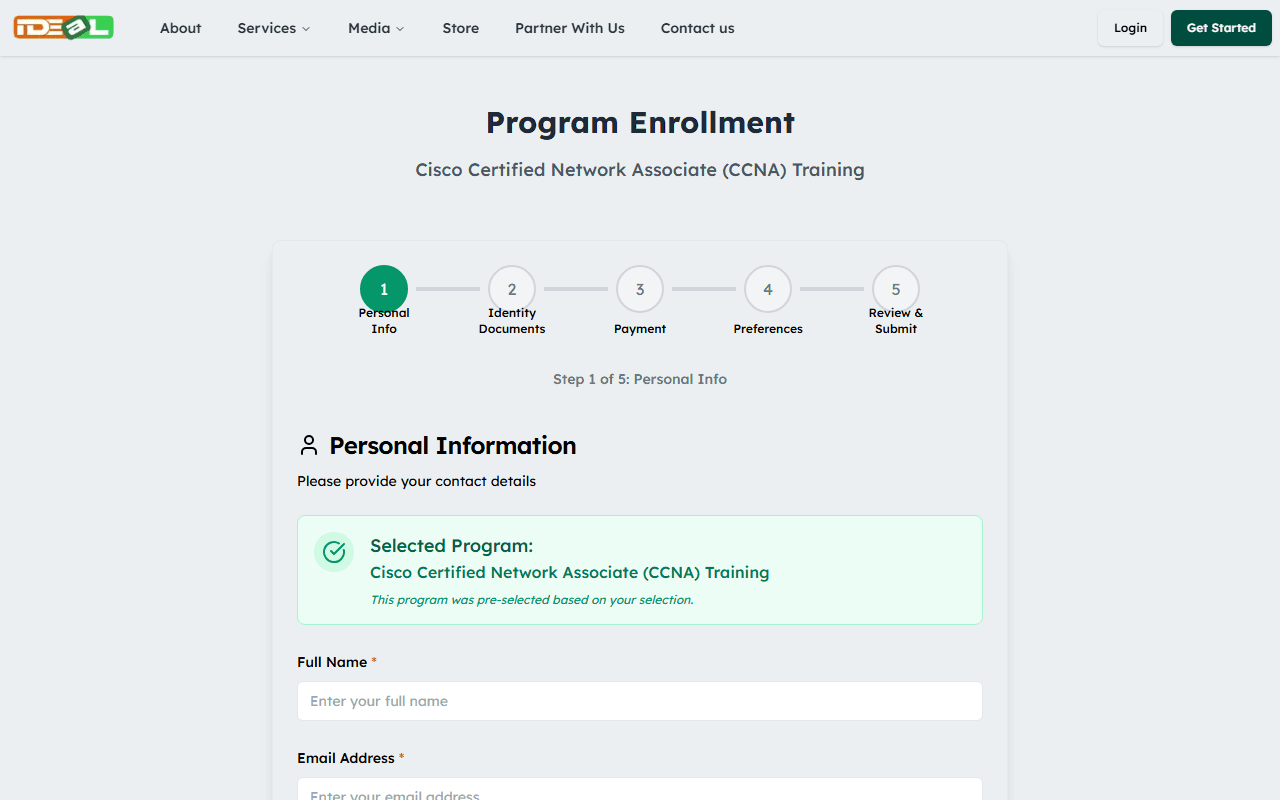
The form shows your progress at the top. The steps depend on the programme. For example, an examination may ask for:
- Personal Info: your name and contact details
- Identity Documents: a photo and an identification document
- Payment: proof of payment if the programme has a fee
- Preferences: start date, language and how we should contact you
- Review & Submit: check everything before sending
Required fields are marked with a red asterisk (*). Click Continue to move to the next step and Back to change an earlier one.
Upload documents
Upload clear photos or scans in JPG, PNG or PDF format, up to 3.5MB each. Make sure all four corners of an ID document are visible and the text is readable.
Only upload the documents we ask for. Uploading false or someone else’s documents leads to your application being cancelled.
Review and submit
On the last step, check your details, complete the security check and click Submit application. You will see a confirmation on screen, and the application appears under Enrollments in your dashboard if you were signed in. The IDEaL team reviews it and contacts you. Submitting an application does not guarantee a place: your place is confirmed when we tell you it is approved.
Was this guide helpful?