Choose what you need
Open Store in the top menu and browse or filter by category. Each listing shows what it is, its price in Naira and what to do: Add to Cart, Book Now, Get Free Access, Download PDF or Request Price and Details.

Add to your cart and check out
Sign in, click Add to Cart (or Book Now), then open your cart from the cart icon at the top and click Checkout. Your cart is saved to your account on this device.
Enter your details and choose a bank account
Fill in your billing details and choose one of IDEaL’s bank accounts shown on the page. Tick the box to accept the Terms of Service and Refund & Cancellation Policy, then click Complete Order.
Only pay into an account shown on our website in IDEaL’s name. IDEaL will never ask you to pay into a personal account by phone, SMS or WhatsApp.
Make the transfer
Transfer the exact total to the account you chose, using your order number (for example ORD-12345678-1234) as the payment reference so we can match your payment quickly.
Upload your proof of payment
On the order confirmation page, upload a screenshot or photo of your transfer receipt (JPG, PNG, GIF or PDF, up to 3.5MB). Your order then moves to Processing while we verify the payment. You can also open the order later from My orders.
Follow your order
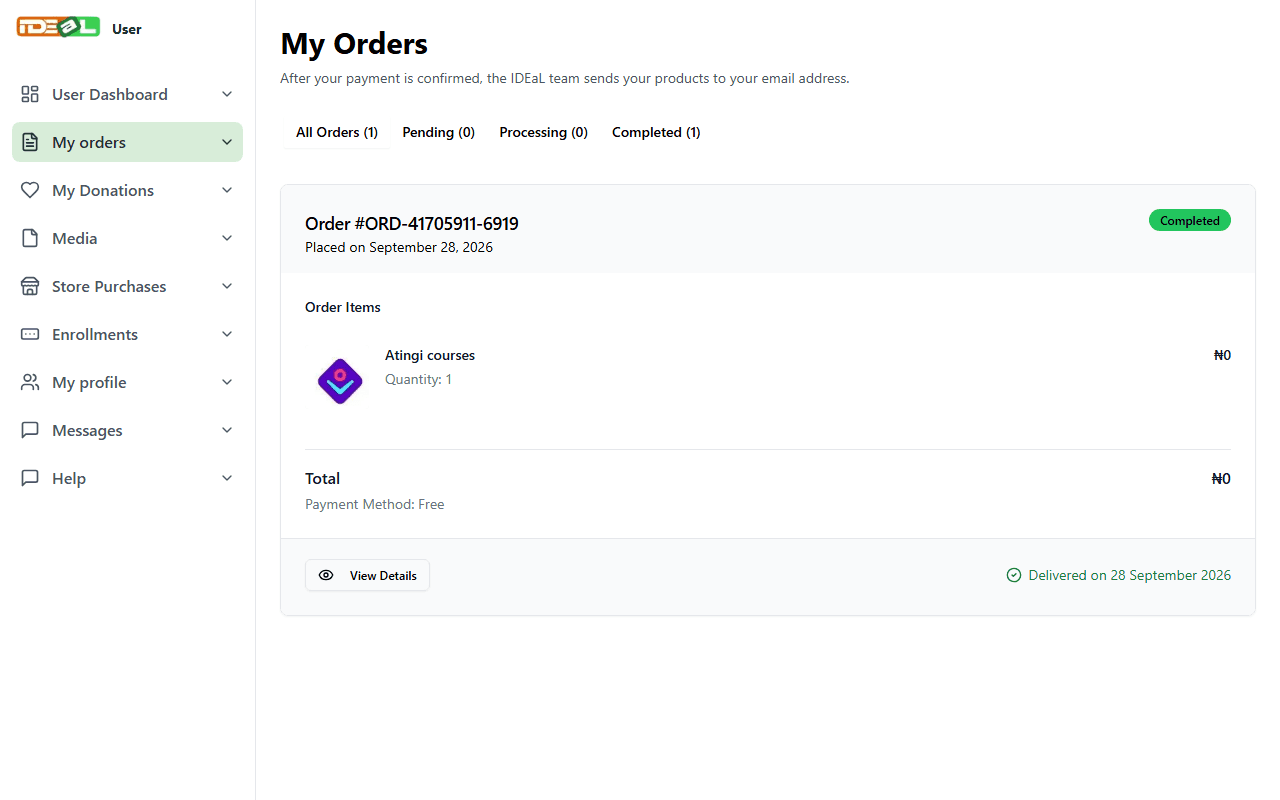
In My orders, statuses mean:
- Pending: waiting for your payment and proof
- Processing: we are verifying your payment
- Completed: payment confirmed
Products are not delivered through the website: after confirming your payment, the IDEaL team sends your product to your email address (or arranges collection or delivery for physical items). The delivery status and any note from us appear on your order.
Was this guide helpful?