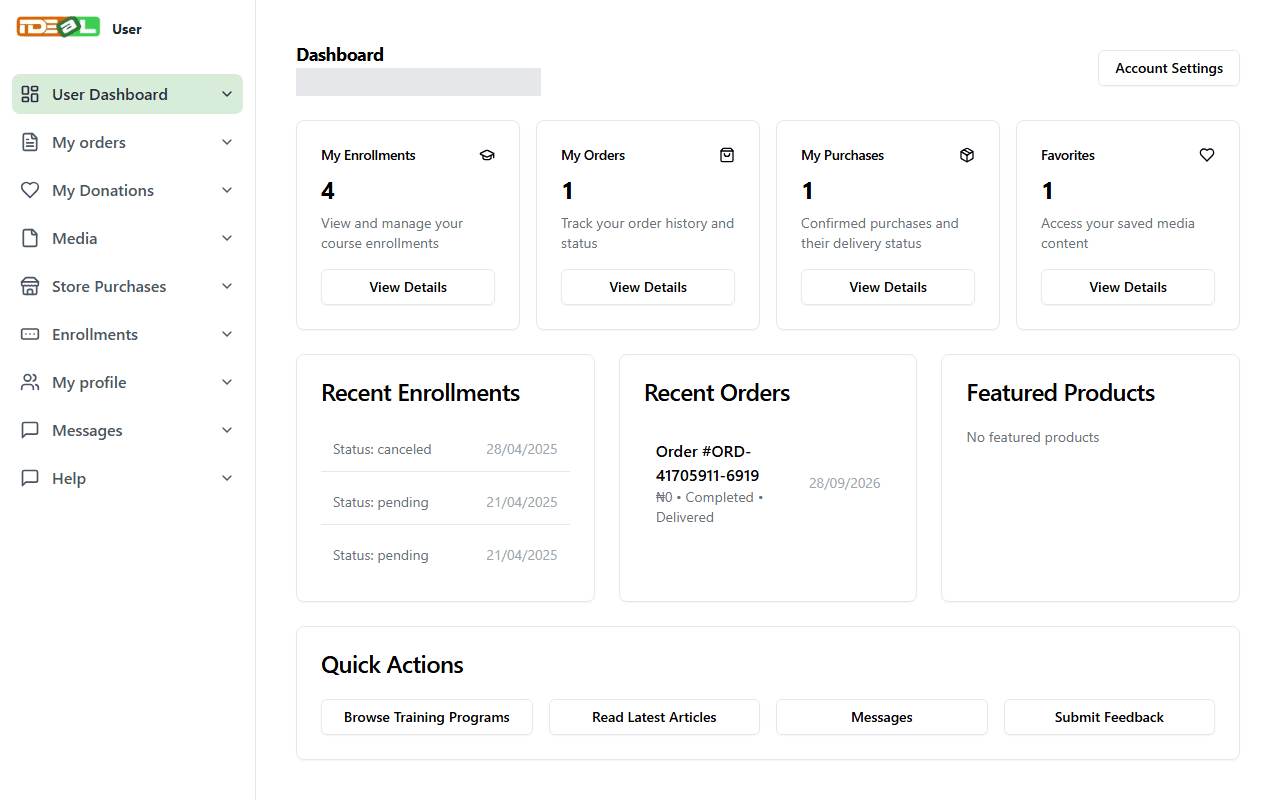
Your dashboard brings together your enrollments, orders, free resources, messages and profile in one place.
3 steps About 3 minutesUpdated 15 October 2026
1
Open your dashboard
Sign in, then click your name or picture at the top right and choose Dashboard. The summary cards show your enrollments, orders, purchases and saved favourites. Click View Details on any card to see more.
Your dashboard (personal details hidden)
2
Use the menu
The menu on the left takes you to each area:
My orders: orders, payment status and delivery
Store Purchases: your free resources and confirmed purchases
Enrollments: your programme applications
Media: articles and podcasts you saved
My profile: your name, photo and account settings
Messages: conversations with the IDEaL team
Help: these guides
3
Keep your profile up to date
Open My profile to update your name, username, photo and bio. Keeping your details accurate helps us contact you about your programmes and orders.